Choosing the wrong app development company is expensive: missed launch dates, a budget that keeps growing and, at worst, code you cannot take to another team. Choosing well comes down to a clear brief and asking every company the same questions before you sign. This guide walks you through it: what to prepare, how to compare companies, what the contract must say and the red flags that should make you walk away.
What should you prepare before you contact app development companies?
Write a one-page brief. Companies can only give you proposals you can compare if they all price the same thing.
- The problem and the users. Who the app is for and what it helps them do.
- The must-have features. The few features the first version cannot launch without. Everything else goes on a list for later.
- The platforms. iOS, Android or both, and whether you also need a web app or an admin panel.
- Your budget range and launch date. A range is enough; it lets each company suggest what fits.
- What you already have. Designs, a logo, an existing app or a competitor you like.
Not sure what the first version needs? Our guide on how long it takes to build an MVP explains what an MVP is and what makes one take longer.
Should you hire a freelancer, an app development company or an in-house team?
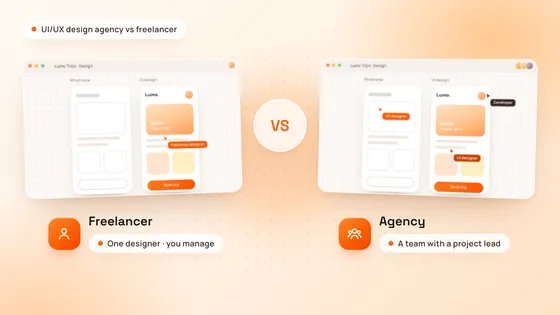
A freelancer suits a small, well-defined task. An app development company suits a full product that needs design, development and testing together. An in-house team suits a product that is already your core business and needs daily work.
| Option | Best for | Watch out for |
|---|---|---|
| Freelancer | Small, well-defined tasks, at the lowest hourly cost | Usually one skill, so you manage the rest; high risk if they leave |
| App development company | A full product, from design to launch, at a fixed price or estimate | Costs more than one freelancer; check the process and the contract |
| In-house team | Daily work on a product that is your core business | Slow to start, because you hire first; salaries, benefits and hiring costs |
Many startups combine them: a company builds and launches the first version, then an in-house team takes over as the product grows. If you plan that handover, ask for clean, documented code from the start.
How do you check an app development company’s portfolio?
Look for live apps like yours, and find out exactly what the company did on each one.
- Download their apps. Use them on your own phone: how fast they open, how smoothly they scroll, whether anything breaks.
- Ask what they did. Design only, the full build, or one part of it? Portfolios often mix all three.
- Look for your kind of product. Marketplaces, booking apps and AI features each bring their own problems, and a team that has solved them before moves faster.
- Read reviews, then talk to a client. Directories such as Clutch and Google reviews help, but a short call with a past client tells you more.
Which questions should you ask an app development company?
Ask every company on your shortlist the same questions, and compare the answers side by side.
- Who will work on my app? Names and roles, and whether they are employees or subcontractors.
- Which technology will you use, and why? Native code, or a cross-platform framework such as Flutter or React Native. Our Flutter vs React Native guide explains the trade-offs.
- What exactly does the price include? Design, the backend, testing, app store submission and launch support should all be listed.
- How will I see progress? Look for regular demos of working software, not only status reports.
- How do you handle changes? A good company prices each change, and its effect on the timeline, before building it.
- How do you test the app? On real devices, against a test plan, before every release.
- Who owns the code, the designs and the accounts? The answer should be “you”, in writing.
- What happens after launch? Bug fixes, updates for new iOS and Android versions, and new features.
- Will you sign an NDA? Ask before you share detailed plans.
- Can I talk to a past client? A company that is proud of its work will arrange it.
Fixed price or hourly: which pricing model is better?
A fixed price suits a first version with a clear scope. Hourly billing, often called time and materials, suits a product whose scope keeps changing.
- Fixed price. You know the total before work starts, and the company carries the risk of its own estimate. It needs a written scope, and changes are priced as they come up.
- Hourly. Flexible, but the total stays open. Ask for an estimate with a range and regular reports of the hours spent.
Compare proposals on what they include, not only on the total. A low quote that leaves out design, testing or the backend often ends up costing more by launch. For real numbers, see our guide on how much it costs to build an app.
What should the contract include?
The contract should settle the scope, the payments and who owns everything you pay for, before work starts.
- Scope and deliverables. The features, screens and platforms, and what is not included.
- Milestones and payments. Payments tied to delivered work, not only to dates.
- Change requests. How changes are priced and approved before they are built.
- Acceptance. How you check and sign off each delivery.
- Ownership. The source code, design files and documentation pass to you, and the app store and cloud accounts are in your company’s name.
- Confidentiality. An NDA or a confidentiality clause.
- Warranty and support. Who fixes bugs found after launch, and what ongoing support costs.
What are the red flags when choosing an app development company?
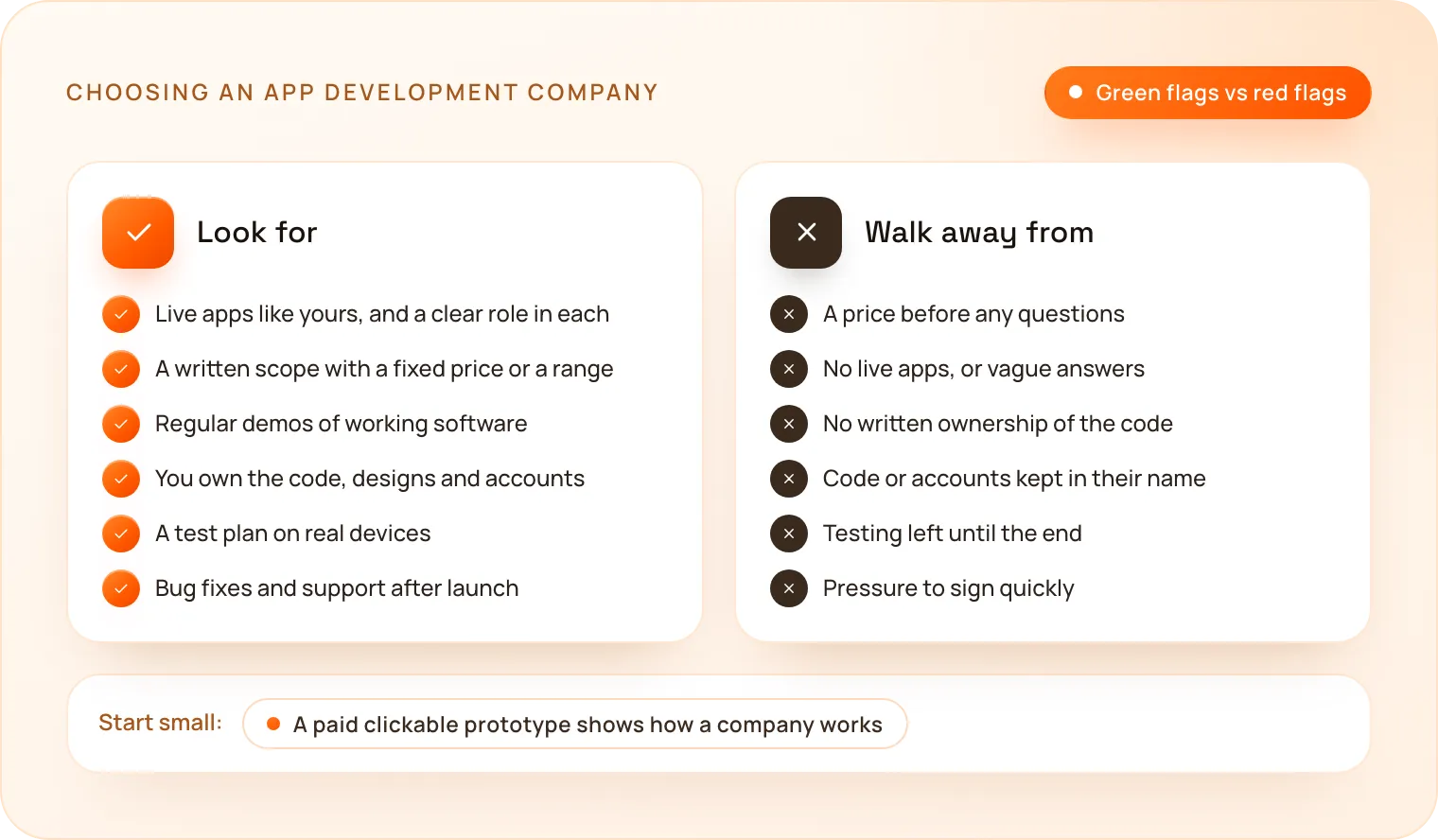
Walk away, or ask harder questions, if you see any of these:
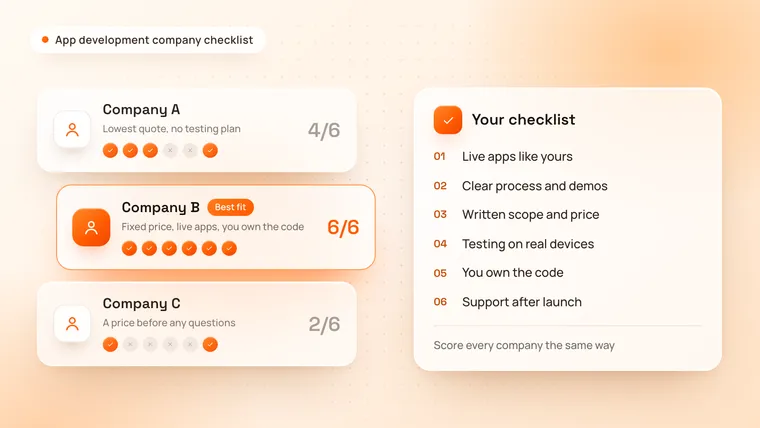
- A price before any questions. A serious company asks about your users, features and platforms first.
- No live apps, or vague answers about what they built.
- No written ownership. If they will not assign the code to you in writing, do not sign.
- Code or accounts kept in their name, so you cannot leave without them.
- No testing plan, or testing left until the end.
- Pressure to sign quickly, or a quote far below every other one with no explanation.
- No single contact who answers your questions.
How can you test a company before the full build?
Start with a small paid step. A clickable prototype or a small design project shows how a company thinks, communicates and delivers, for a fraction of the cost of the full build. If the contract assigns the result to you, you can take it to another company if the fit is wrong.
At TechNamah, UI/UX design on its own starts at $199 for up to 10 screens with a clickable prototype, so this first step costs little. Our guide on how much UI/UX design costs shows what it includes.
How does TechNamah work with founders?
We work the way this guide recommends, and our Terms of Service put it in writing.
- A free strategy call. A 30-minute call on your users, features and launch date, and a reply to every request within 24 hours.
- A proposal you can compare. For a mobile app, a proposal with a timeline and cost estimate within 48 hours.
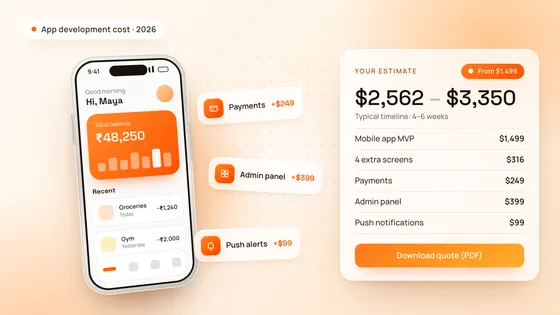
- Fixed starting prices. A mobile app MVP for iOS and Android from $1,499, and a web app or SaaS MVP from $2,999.
- Fast proof. The first clickable prototype in 72 hours and a full MVP in 4–6 weeks.
- Weekly demos during development, and every change priced and approved before we build it.
- Full ownership. The source code, design files and documentation are yours once the project is paid in full.
- A mutual NDA on request, before detailed discussions.
- Support after launch. A warranty period in which we fix defects caused by our work at no charge, and ongoing support when you need it.
We build mobile apps with Flutter, one codebase for native-quality iOS and Android apps, and we have delivered 50+ projects, including 10+ SaaS products. You can see our product work in the Aivon, Luméa and Connectly case studies.
How do you make the final choice?
Score your shortlist against the same checklist, and choose the company that asked the best questions and put everything in writing, not the one with the lowest number. Price your app in our free cost calculator and download the estimate as a PDF, or book a free strategy call to talk it through. Our mobile app development and MVP development pages show how we build.