“How much does UI/UX design cost?” gets answers from a few hundred dollars on freelance sites to six figures from large agencies, and most guides never say what you actually get. This guide gives real numbers: TechNamah’s price for design on its own, what design costs when we also build your app or website, and the choices that change the total.
How much does UI/UX design cost at TechNamah?
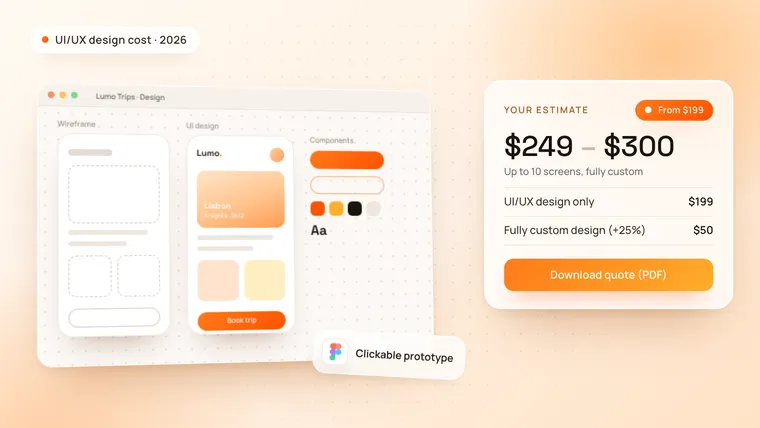
UI/UX design on its own starts at $199 for up to 10 screens. You get finished screens you can hand to any developer, not just sketches.
| What you get for $199 | Details |
|---|---|
| Screens | Up to 10, designed in Figma |
| Prototype | A clickable prototype of the main flow, to test with real users |
| Design system | The basics: colours, type and the main components |
| Handoff | Figma files your developers can build from |
For a bigger product, tell us the screens and flows you need. You get a design proposal, timeline and cost estimate within 48 hours.
How much does app design cost when you build with us?
When TechNamah also builds your product, the design of every screen is included in the build price. The starting prices use clean layouts from our design system; a fully custom, brand-led design on every screen adds 25%.
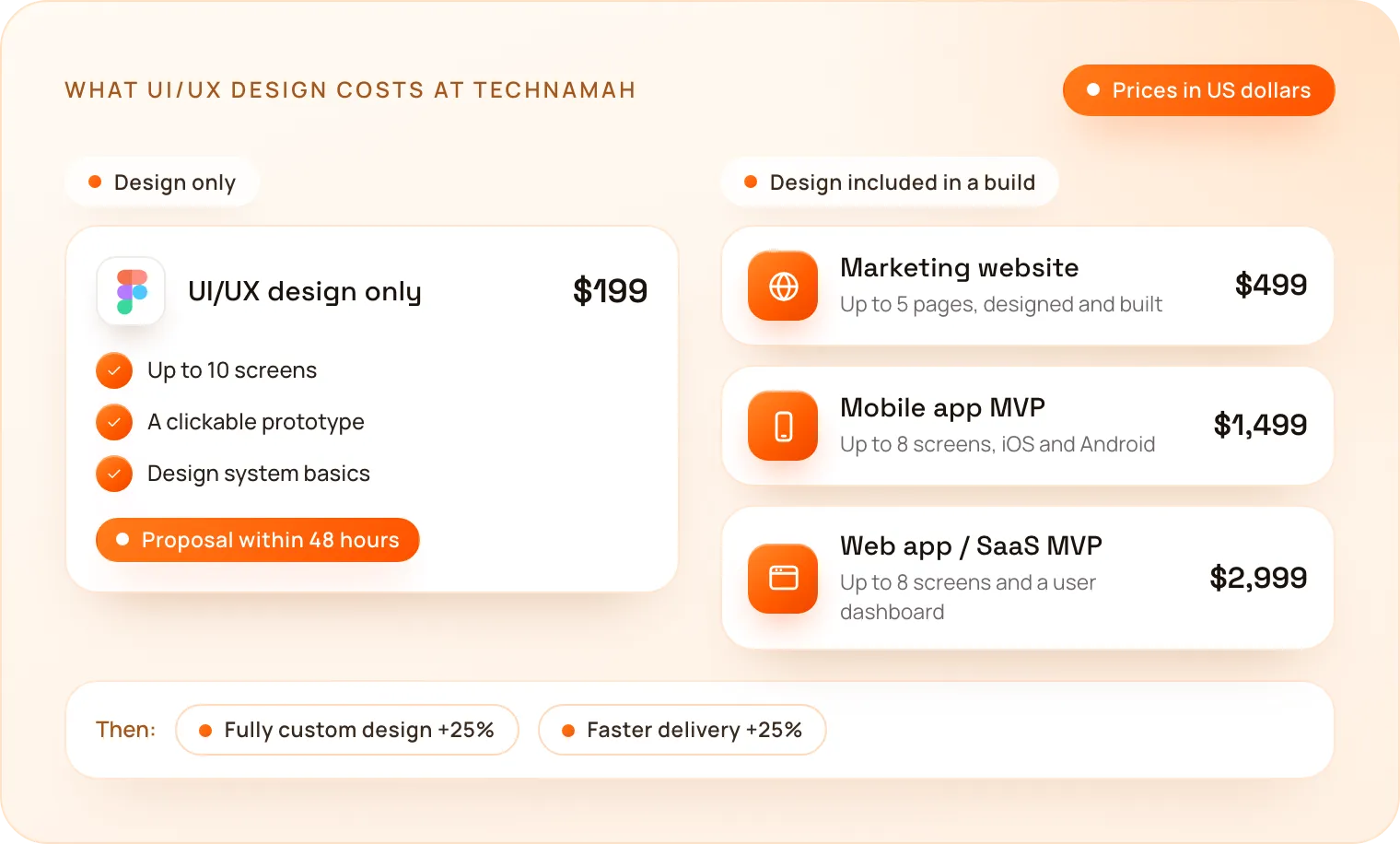
| Project | With our design system | With a fully custom design |
|---|---|---|
| Marketing website (up to 5 pages) | $499 | $624 |
| Mobile app MVP (iOS + Android, up to 8 screens) | $1,499 | $1,874 |
| Web app / SaaS MVP (up to 8 screens) | $2,999 | $3,749 |
Features such as payments, an admin panel or an AI feature are fixed add-on prices. Our guides on how much an app costs and how much a website costs list them.
What changes the cost of UI/UX design?
Three things move the price most:
- Screens and flows. Ten screens cover the core of most apps and websites: sign-up, a dashboard or home screen, the main feature and settings. More flows mean more screens.
- Design system or fully custom. Our design system gives you proven layouts at the starting price. A fully custom design adds 25% and makes every screen unique to your brand.
- Delivery speed. Faster delivery with a priority team adds 25%, for a launch or investor date that cannot move.
What do real UI/UX design projects cost? Four examples
These examples use the same prices and rules as the cost calculator. The range runs from the exact total to about 30% more, which covers the small details every project finds along the way.
| Project | What it includes | Estimate |
|---|---|---|
| App or website redesign | UI/UX design only, up to 10 screens | $199 – $250 |
| Brand-led product design | UI/UX design only, fully custom design | $249 – $300 |
| Design for an investor demo | UI/UX design only, fully custom design, faster delivery | $311 – $400 |
| Designed and built mobile app | Mobile app MVP, fully custom design | $1,874 – $2,450 |
Should you pay for design only, or design and build?
Choose design only when you already have developers, want to test an idea with a clickable prototype before you raise money, or need a redesign of a product that already works. Choose design and build when you need a working product: the design is included, and one team takes it from the first screen to launch in 4–6 weeks.
How does TechNamah design a product?
- Free strategy call. A 30-minute call on your users, the problem and the screens you need.
- Proposal. A design proposal, timeline and cost estimate within 48 hours.
- Clickable prototype. The first prototype of the main flow is ready in 72 hours, to test with real users.
- UI design. Polished screens on our design system or a fully custom design, with your feedback in shared Figma files.
- Handoff. Annotated Figma files and design system basics, ready for any developer.
You can see the result in our Luméa and Aivon case studies.
How can you keep your UI/UX design cost down?
- Design the core flow first. Sign-up, the main feature and the screen users return to. Everything else can wait for version two.
- Start on a design system. Proven layouts cost less and test well; invest in a fully custom design once users have shown what matters.
- Test the prototype before you build. Changing a prototype costs far less than changing finished code.
- Bring what you have. A logo, brand colours or a competitor you like shorten the first round of design.
How do you get an exact price for your design?
Pick UI/UX design in our free app and website cost calculator to see your price range instantly, and download it as a PDF quote. Then book a free strategy call: we reply to every request within 24 hours. Our UI/UX design page shows how we work.