Zapier and n8n both connect your apps, so that leads, orders and messages move between them without anyone copying and pasting. They differ in how they charge, where they run and how much code they let you use. This guide compares the two on price, integrations, ease of use, self-hosting and AI, with plans checked on zapier.com and n8n.io on 30 October 2026.
What is the difference between n8n and Zapier?
Zapier is a hosted, no-code automation tool. You build a Zap from a trigger, such as a new form entry, and one or more actions, such as adding the person to your CRM. n8n is a workflow automation tool for technical teams: you connect nodes on a visual canvas, add code where you need it and run it on n8n Cloud or on your own server.
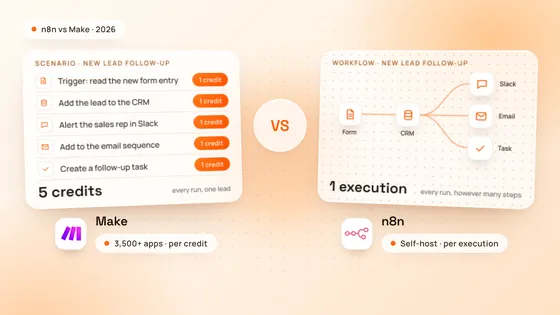
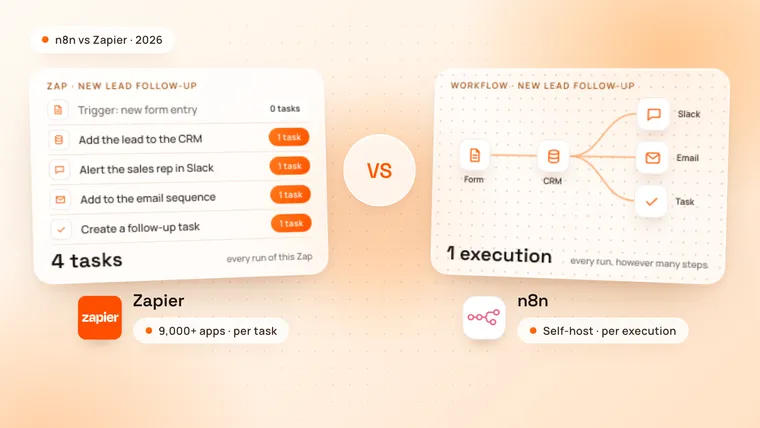
The biggest difference is how each one counts your usage. Zapier counts a task for every action it completes. n8n counts an execution for every run of a whole workflow.
| Zapier | n8n | |
|---|---|---|
| Billed by | Tasks: one per successful action step | Executions: one per workflow run |
| Free option | Free plan, 100 tasks a month, two-step Zaps | Free self-hosted Community edition |
| Cheapest paid plan | Professional, $19.99 a month billed yearly (750 tasks) | Starter, €20 a month billed yearly (2,500 executions) |
| Integrations | More than 9,000 apps | More than 2,000, plus any app with an API |
| Where it runs | Zapier’s cloud only | n8n Cloud or your own server |
| Custom code | Code by Zapier, JavaScript or Python | Code node, JavaScript or Python |
| Users | One on Free and Professional, up to 25 on Team | Unlimited on every plan |
| Best for | Simple automations between popular apps | Complex, high-volume or AI workflows |
How does Zapier pricing work?
Zapier charges by tasks. A task is one action that Zapier completes for you, such as creating a contact or sending a Slack message, so a Zap with 4 actions uses 4 tasks every time it runs. Triggers and checks for new data use no tasks, and neither do Zapier’s built-in tools, such as Filter, Formatter, Paths, Delay and Looping.
Some steps cost more than one task. An AI by Zapier step uses 1, 3 or 5 tasks, depending on whether it calls a standard, advanced or premium model. When you reach your plan’s limit, Zapier either pauses your Zaps or, if you turn it on, charges extra tasks at a higher rate, as its task usage rates page explains.
How does n8n pricing work?
n8n charges by executions. An execution is one run of a whole workflow, “regardless of complexity”, as n8n’s pricing page puts it: a workflow with 3 nodes and one with 30 nodes each count once per run. Every n8n plan includes unlimited users, unlimited workflows and every integration.
You can also self-host n8n. The Community edition is free and, in n8n’s words, has “almost the complete feature set”. You pay for the server it runs on, and someone has to install it, update it and back it up.
Which is cheaper, n8n or Zapier?
n8n is usually cheaper once your workflows have several steps or run often. Zapier can be cheaper, even free, for a few short automations.
These are the plans as of October 2026, billed yearly, before tax:
| Plan | Price | What you get |
|---|---|---|
| Zapier Free | $0 | 100 tasks a month, two-step Zaps, one user |
| Zapier Professional | From $19.99 a month | 750 tasks a month and multi-step Zaps; $49 for 2,000 tasks, $129 for 10,000 |
| Zapier Team | From $69 a month | 2,000 tasks a month, up to 25 users, shared Zaps, SAML SSO |
| n8n Community, self-hosted | Free | Almost the complete feature set, on your own server |
| n8n Starter, Cloud | €20 a month | 2,500 executions a month |
| n8n Pro, Cloud | €50 a month | 10,000 executions a month (€120 for 50,000), admin roles, workflow history |
| n8n Business, self-hosted | €667 a month | 40,000 executions a month, SSO, environments, Git version control |
Source: Zapier pricing and n8n pricing. Billed monthly, Zapier Professional costs $29.99 for 750 tasks, and n8n Starter and Pro cost €24 and €60. n8n lists its prices in euros: at the European Central Bank’s rate for 29 October 2026, €1 was $1.113, so €20 is about $22.
The gap shows when you count a real workload. Zapier’s tasks are the actions per run multiplied by the runs a month; n8n’s executions are the runs alone:
| Workflow | Zapier tasks a month | Zapier, per year | n8n executions a month | n8n Cloud, per year |
|---|---|---|---|---|
| Lead follow-up: 400 leads, 4 actions each | 1,600 | $588 (Professional, 2,000 tasks) | 400 | €240, about $267 (Starter) |
| Orders: 2,000 orders, 5 actions each | 10,000 | $1,548 (Professional, 10,000 tasks) | 2,000 | €240, about $267 (Starter) |
| Data sync: 20,000 records, 3 actions each | 60,000 | $5,868 (Professional, 100,000 tasks) | 20,000 | €1,440, about $1,603 (Pro, 50,000) |
| A simple alert: 90 runs, 1 action each | 90 | $0 (Free) | 90 | €240 (Starter), or free self-hosted |
On self-hosted n8n, the Community edition has no plan fee at all, so the cost is the server and the time to run it. That is often the cheapest option at high volume, if someone on your team or your agency looks after it.
Is n8n or Zapier easier to use?
Zapier is easier to start with. Its editor lists the steps of a Zap from top to bottom, each app guides you through its fields, and Zapier Copilot, included on the free plan, can draft a Zap from a description in plain English.
n8n takes longer to learn but shows more. Each workflow is a canvas of connected nodes, with branches, loops and error workflows, and you can see the data that passes through every node, which makes a broken run easier to fix. n8n Cloud includes Assistant, in preview, which helps you build workflows with a monthly allowance of credits. Self-hosting is a different matter: n8n’s own documentation says it needs technical expertise to install and configure.
Which has more integrations, n8n or Zapier?
Zapier has more ready-made integrations. It connects to more than 9,000 apps, more than any other automation tool, according to Zapier. n8n lists more than 2,000 integrations on n8n.io.
The gap matters less than it looks. n8n’s HTTP Request node calls any app with a REST or GraphQL API, it can import a cURL command, and its Code node runs JavaScript or Python, so a missing node rarely blocks a workflow. Zapier offers webhooks on paid plans and Code by Zapier steps, which use 1 task each. Before you choose, check that the apps you use most have the triggers and actions you need on both.
Can you self-host n8n or Zapier?
Only n8n. Zapier runs in Zapier’s cloud, with no self-hosted version. n8n runs on your own server with Docker or npm, or on n8n Cloud, which stores its data in the EU, on servers in Frankfurt, Germany.
Self-hosting matters when your data has to stay on your own infrastructure, for example because of client contracts, GDPR or health and finance rules. On the Community edition it also means no fee per run: the limit is what your server can handle.
Self-hosted n8n is free under n8n’s Sustainable Use License, which n8n also calls its Community license. You can use it to run your own business, and an agency can build and maintain workflows for you and charge for that work. It does not allow hosting n8n as a service where your customers build their own workflows, or white-labelling n8n; both need a commercial licence, as n8n’s license FAQ explains.
Which is better for AI automation and AI agents?
Both now build AI into the workflow, and they charge for it differently.
- Zapier: an AI by Zapier step sends a prompt to a model and returns structured fields, such as a category or a summary. It uses 1, 3 or 5 tasks a step by model tier, and every tool the model calls is billed again. Zapier MCP lets AI assistants such as Claude and Cursor run Zapier actions, at 2 tasks per tool call.
- n8n: the AI Agent node works with models such as OpenAI or Claude, uses tools, connects to MCP servers and can wait for a person to approve a tool call before it runs. Because n8n bills a whole run as one execution, an agent that reads an email, looks up the customer, drafts a reply and waits for approval still counts once. On self-hosted n8n you connect your own model provider and pay it directly.
For AI workflows with many steps or many runs, n8n is usually the better fit. For an AI step inside a short Zap, Zapier is quick to set up. To ground an agent’s answers in your own documents, see our guide to what RAG is, and for budgets, how much an AI chatbot costs.
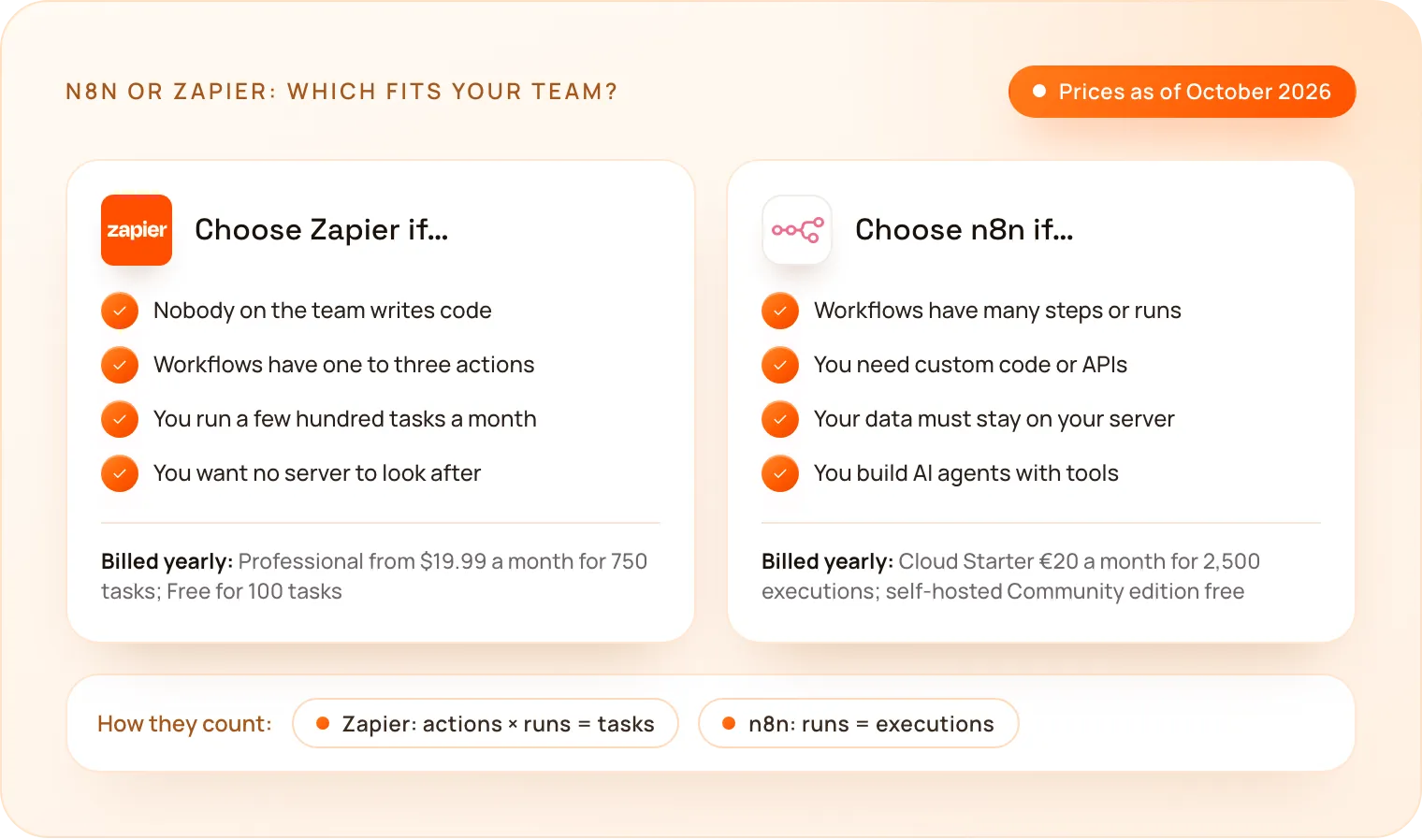
When should you choose Zapier?
- Your team is not technical and wants to build its own automations.
- Your workflows are short, with one to three actions each.
- Your volume is low, a few hundred tasks a month.
- You need an app that only Zapier connects to.
- You do not want to look after a server or a hosting plan.
When should you choose n8n?
- Your workflows have many steps or run thousands of times a month.
- You need custom code or APIs, or your own software in the loop.
- Your data must stay on your own server, for example for GDPR or client contracts.
- You are building AI agents that call several tools in one run.
- Many people need access: every n8n plan includes unlimited users.
How does TechNamah build automations?
TechNamah builds workflow automations in n8n for growing teams: leads into the CRM, documents into data, AI agents with a person approving the important steps, and custom APIs where a tool has no ready-made node. Your workflows run on your own server with Docker or on your n8n Cloud account, and once the project is paid in full they are yours, with their documentation.
If a few simple Zaps will do the job, we say so on the free 30-minute strategy call. See our n8n workflow automation and AI automation pages for what we build.
How do you choose between n8n and Zapier?
Count two numbers for your main workflows: the actions in each one and the runs a month. Multiply them and you have your Zapier tasks; the runs alone are your n8n executions. Then decide where your data may live and who will look after the workflows. If the numbers are small and nobody on the team writes code, start with Zapier. If they are large, or the workflows need code, AI agents or your own server, choose n8n. Book a free strategy call: in 30 minutes we map your workflows and recommend the right tool, and we reply to every request within 24 hours.