Webflow and Astro can both run a fast marketing website that ranks on Google. They differ in who builds the pages, where the site lives and what you pay for it every year. This guide compares the two on cost, speed, editing, SEO and code ownership, with Webflow’s plans checked on webflow.com and Astro’s documentation read on 2 November 2026. We build on both, and we moved our own website from Webflow to Astro in October 2026.
What is the difference between Webflow and Astro?
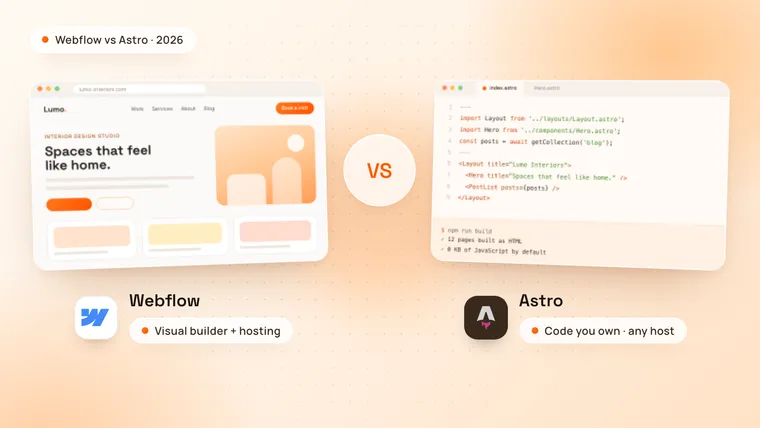
Webflow is a hosted, visual website builder: you design pages on a canvas, manage content in the Webflow CMS and publish to Webflow’s hosting, without writing code. Astro is an open-source web framework for content websites, such as marketing sites, blogs and online stores. A developer builds the pages as code, Astro turns them into plain HTML, and the site runs on almost any host.
The biggest difference is who changes the site. In Webflow, a marketer can build a new page visually. In Astro, a developer builds the page templates, and your team edits the content in a headless CMS.
| Webflow | Astro | |
|---|---|---|
| What it is | A visual website builder with hosting | An open-source framework, MIT license |
| Who builds the pages | Designers and marketers, visually | Developers, in code |
| Editing content | The Webflow CMS, built in | A headless CMS you choose, or Markdown files |
| JavaScript on every page | jQuery and Webflow’s own scripts | None by default |
| Hosting | Webflow’s hosting | Any host, such as Cloudflare, Netlify or Vercel |
| Running cost | A site plan, from $180 a year | Hosting can be free, on Cloudflare for example |
| Code ownership | HTML and CSS export on a paid Workspace plan | The code is yours, in your own repository |
| Best for | Sites that marketers build and change themselves | Fast sites with custom features, run by developers |
Which is cheaper, Webflow or Astro?
Astro usually costs less to run and more to build. Webflow charges a site plan for as long as the site is live. Astro itself is free, a static Astro site can be hosted for free, and the main cost is the developer who builds it.
These are Webflow’s site plans as of November 2026, in US dollars per site, before tax:
| Webflow plan | Billed yearly | Billed monthly | What you get |
|---|---|---|---|
| Starter | Free | Free | A webflow.io address, 2 pages, 1 GB of bandwidth |
| Basic | $15 a month | $25 a month | Your own domain, 300 static pages, 10 GB of bandwidth, no CMS |
| Premium | $25 a month | $39 a month | Adds the CMS (20,000 items in 40 collections), site search and 50 GB of bandwidth |
Source: Webflow pricing. More bandwidth costs extra on Premium, and so do more editors: a seat that edits content costs $15 a month billed yearly.
An Astro site has no plan of its own. You choose a host and, if your team edits content, a CMS:
| Part | Price | Notes |
|---|---|---|
| Astro | Free | Open source, MIT license |
| Hosting on Cloudflare | Free | Requests for static files are free and unlimited |
| Hosting on Netlify or Vercel | Free, or $20 a month for Pro | Vercel’s free Hobby plan is for personal, non-commercial use only |
| Sanity CMS | Free, then $15 per seat a month | The free plan includes up to 20 user seats |
| Decap CMS or Keystatic | Free | Open source; content is saved in your Git repository |
Sources: Cloudflare, Netlify, Vercel, Sanity and Decap CMS, read on 2 November 2026.
Added up over a year, the running cost is where the two part ways:
| Website | Webflow, per year | Astro, per year |
|---|---|---|
| 5-page site, no blog | $180 (Basic) | $0 (Cloudflare) |
| Site with a blog and one editor | $300 (Premium) | $0 (Cloudflare and Sanity Free) |
The build runs the other way. A Webflow site can be built and changed by a designer, while an Astro site needs a developer, so the first build often costs more and the years after cost less. For what a Webflow build costs, see our guide on how much a Webflow website costs.
Which is faster, Webflow or Astro?
Astro makes fast pages easier, because it sends no JavaScript unless a part of the page needs it. Webflow’s hosting is fast too, on Cloudflare’s network, but Webflow adds jQuery and its own scripts to the pages it publishes: we found them on webflow.com itself and on every Webflow site we checked.
Astro builds each page into plain HTML. An interactive part, such as a booking form or a price calculator, becomes an “island” that loads only its own JavaScript, and the rest of the page stays plain HTML. Light pages load faster on slow phones, which helps your Core Web Vitals, Google’s measures of loading speed, responsiveness and visual stability.
We measured the difference on our own website. On 2 November 2026 we loaded the privacy policy, a page of plain text, on our old Webflow site at its Webflow address and on our Astro site, and added up the compressed JavaScript files each one loads, not counting analytics and spam protection:
| Privacy policy page | Old site on Webflow | New site on Astro |
|---|---|---|
| JavaScript from the platform | 184 KB: jQuery and Webflow’s own scripts | None |
| JavaScript we chose to add | 50 KB: an animation library and a font loader | 61 KB: the cookie banner, the menu and the animations |
The two sites have different designs, so treat this as one example, not a benchmark. The platform’s share is the point: Webflow sent 184 KB before any of our own code ran, and Astro sent nothing. Speed still depends on your images, fonts and the scripts you add, so a careful Webflow site can pass Core Web Vitals and a heavy Astro site can fail them.
Can your team still edit an Astro website?
Yes, through a headless CMS. Your developer connects Astro to a CMS such as Sanity, Storyblok, Keystatic or Decap CMS, and editors write and publish blog posts, case studies and other content in its editor. Publishing a change starts a new build, and the update goes live by itself. Astro’s documentation has setup guides for more than 40 CMSs.
What a Webflow team gives up is page building. In Webflow, a marketer can put together a new landing page in the Designer from the site’s own components. In Astro, a developer builds new layouts, unless the CMS is set up with ready-made page sections that editors arrange into new pages.
Is Webflow or Astro better for SEO?
Both can rank on the first page of Google. The difference is who controls the details.
- Webflow has the SEO settings built in: titles, meta descriptions, 301 redirects, an automatic sitemap and Open Graph images, all set in Webflow’s page and site settings without a developer.
- Astro gives your developer full control of the HTML: structured data across the whole site, clean headings, a sitemap from Astro’s official integration, and redirects set in code.
Light pages help both, and rankings still come from useful content and links from other websites. The riskiest moment for rankings is the move between platforms, which is why every old URL needs a plan.
Who owns the code and the hosting?
With Astro, you do. With Webflow, the site lives on Webflow’s platform.
Astro is open source under the MIT license. Your site is a folder of code in your own repository, such as GitHub, and Astro’s documentation has deployment guides for more than 30 hosts, including Cloudflare, Netlify, Vercel and Firebase. The Astro Technology Company joined Cloudflare in January 2026; Astro’s announcement says Astro stays open source and MIT-licensed and keeps supporting other hosts.
Webflow exports a site’s HTML and CSS on a paid Workspace plan, from $19 a month billed yearly. The export leaves out the CMS: Webflow’s pricing page says “Dynamic content (CMS items/pages) can’t be exported”, so collections are exported one by one as CSV files, and forms stop working once the site leaves Webflow. Exported code can’t be imported back into Webflow.
What is Webflow Cloud?
Webflow Cloud hosts web apps built with Astro, Next.js or Vite inside Webflow, either next to a Webflow site, for example at yoursite.com/app, or on their own domain. Every site plan includes it: Starter and Basic can host 5 apps, and Premium 15, as Webflow’s pricing page shows. Webflow also sponsors Astro: it donated $150,000 to the project in September 2025, and Astro’s announcement says Webflow chose Astro to power its AI code generation tool.
So the choice is not always one or the other. A team can keep its marketing pages in Webflow and build a calculator, a customer portal or another app in Astro on Webflow Cloud. A full move to Astro makes more sense when the whole site needs to be faster, own its code or stop paying a plan per site.
How do you move a website from Webflow to Astro?
You rebuild the pages, move the content and keep every URL. These are the steps we follow:
- List every live URL from the Webflow sitemap and Google Search Console, so no page is left behind.
- Export the CMS collections as CSV files from Webflow’s CMS panel, and download the images, which the CSV files only link to on Webflow’s servers.
- Rebuild the design as Astro components and pages, matched at desktop, tablet and phone sizes, including the animations; Webflow’s Interactions now run on GSAP, which an Astro site can use as well.
- Move the content into Astro content collections or a headless CMS, with the same slugs.
- Rebuild the forms with a form service or your own endpoint.
- Keep or redirect every URL. Keep the same addresses, and set a 301 redirect at your host for any that change. On a static site, Astro’s own redirect setting writes a page with a meta refresh tag, unless a host adapter turns it into real redirects.
- Carry over the SEO: titles, meta descriptions, Open Graph images, structured data and the sitemap.
- Switch the domain, submit the new sitemap in Google Search Console and watch for 404 errors.
When we moved technamah.com from Webflow to Astro in October 2026, all 18 pages in the old Webflow sitemap kept their addresses, and Webflow’s old /sitemap.xml address now redirects to the new sitemap. A script checks every old URL on the live site, and on 2 November 2026 it passed all 110 checks. A Framer site moves the same way, except that Framer has no code export, so the design is always rebuilt from the live site.
When should you choose Webflow?
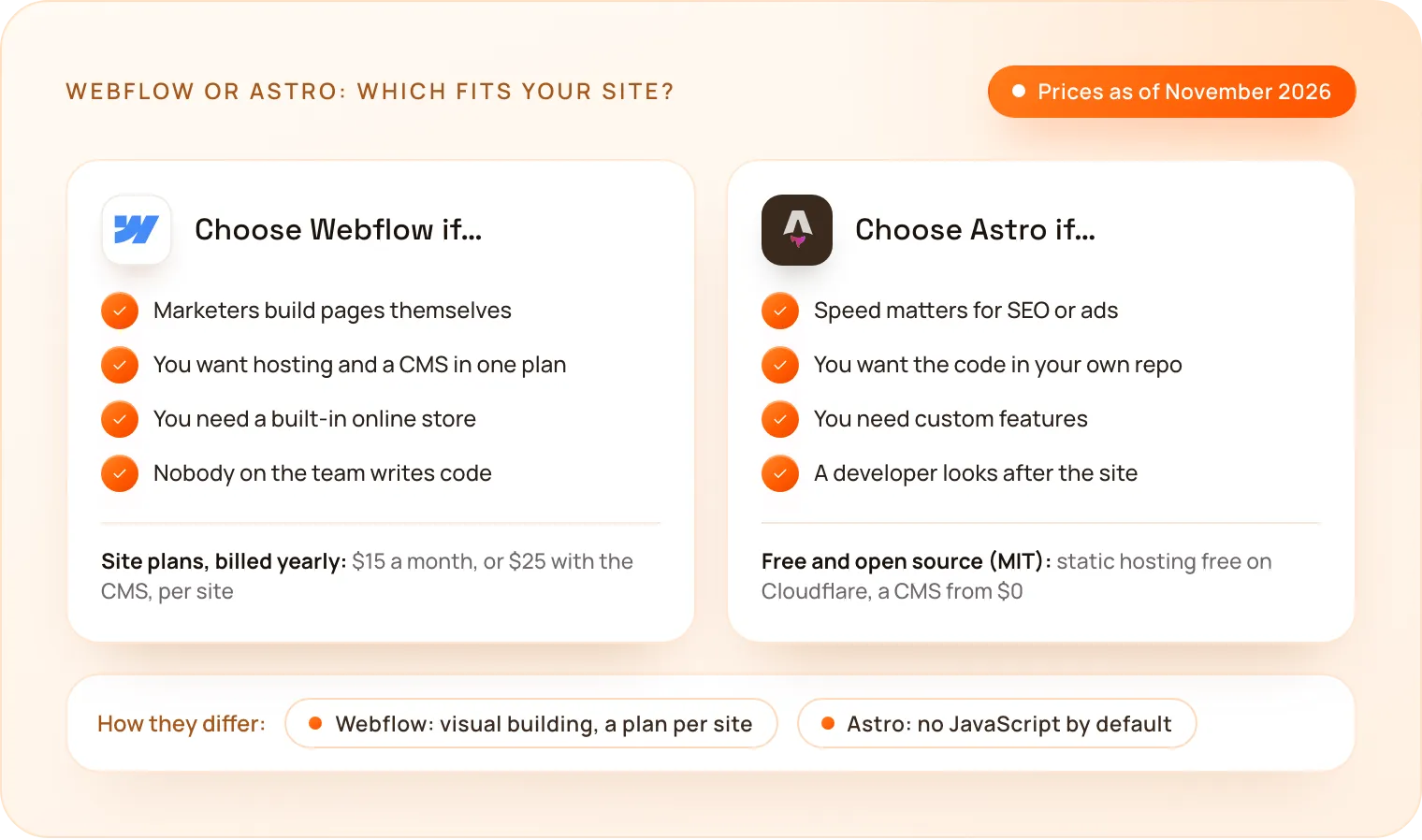
- Your marketing team builds pages itself, visually, without waiting for a developer.
- You want one plan for hosting, the CMS, forms and SEO settings.
- You need a built-in online store or extra languages in the same tool.
- Nobody will look after code, and you want the platform to handle updates.
Still choosing between builders? Our guides compare Webflow vs Framer and Webflow vs WordPress.
When should you choose Astro?
- Speed matters, for SEO, ads landing pages or visitors on slow phones.
- You want to own the code and stop paying a plan per site.
- You need custom features, such as a calculator, a dashboard or an AI assistant.
- A developer or an agency looks after the site, and your team edits content in a CMS.
- You are outgrowing a builder, with many pages, languages or integrations.
How does TechNamah build on Webflow and Astro?
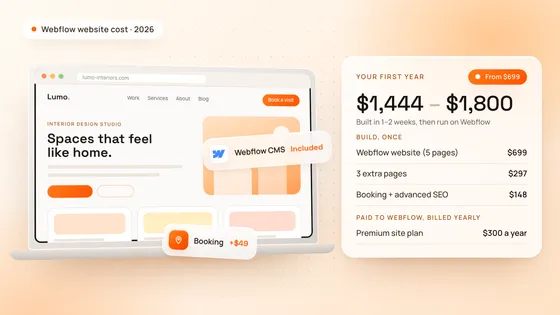
We build on both, so we can recommend the one that fits. Our Webflow websites start at $699 for up to 5 pages and go live in 1–2 weeks. We also move Webflow and Framer sites to Astro in 5 working days, with the same design, every URL kept and the code in your own GitHub; a landing page starts at $599 and goes live in 3 working days.
Our own website runs on Astro, and you can see other Astro sites we built on our Astro development page. For Webflow builds, see our Webflow development page.
How do you choose between Webflow and Astro?
Ask who will change the site every week, and what it has to do in two years. If marketers will build pages themselves and the site is mostly content, choose Webflow. If speed, ownership and custom features matter more, and a developer or agency looks after the site, choose Astro. Book a free strategy call: in 30 minutes we look at your site and recommend the right setup, and we reply to every request within 24 hours.